
One planning engine. Three ways to use it.
Build a project around a strategy canvas, your historic financials, and multi-year forecast versions — then export standardized results in minutes.
Go to CASFLO Forecasting AppBusiness Plans
Full strategic and financial planning, from canvas to cost of capital.
- Strategy canvas: Business Model Canvas, SWOT, PESTEL, competitive and market analysis
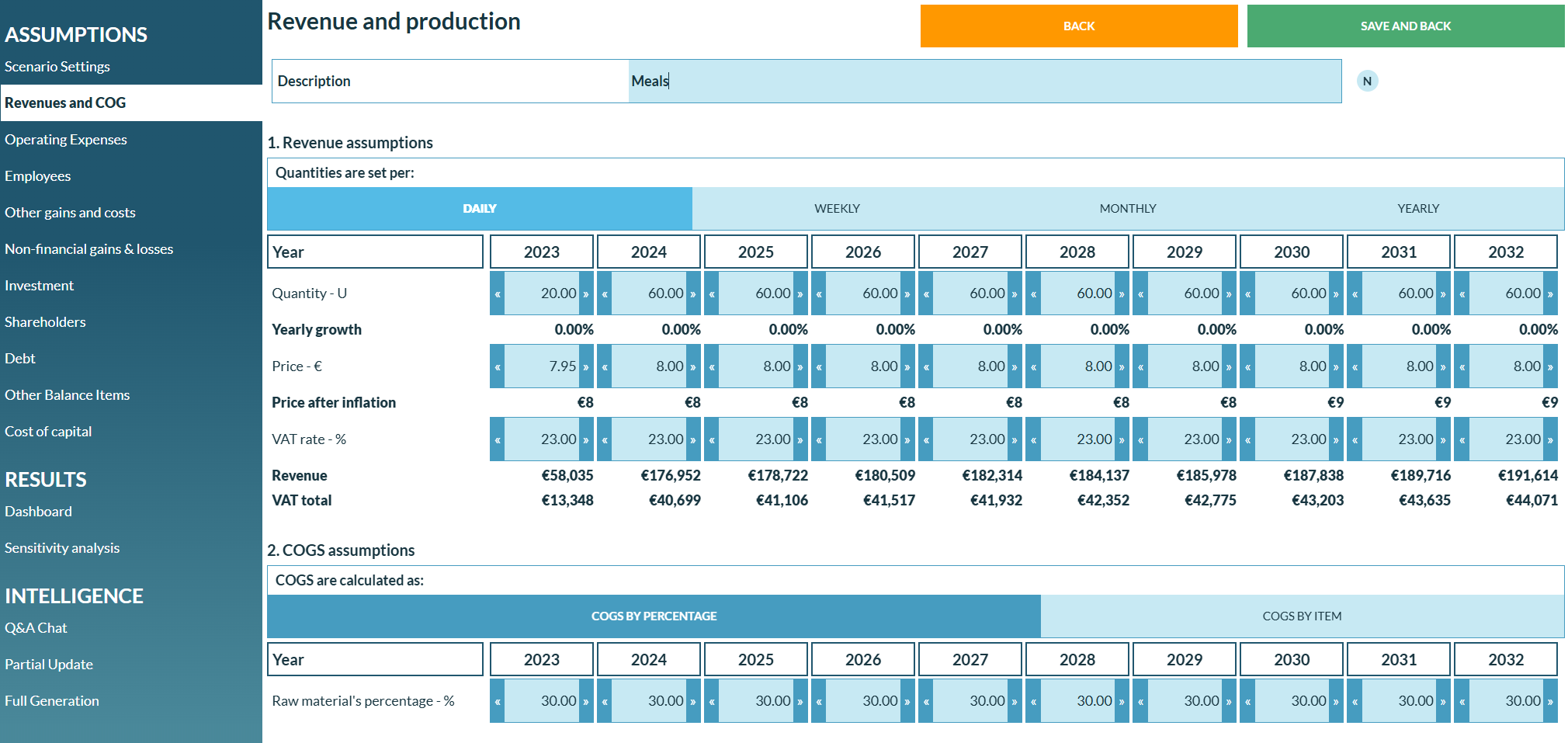
- Multi-year forecasting across revenue, opex, HR/payroll, investment, debt, shareholders, cost of capital (CAPM) and subsidies
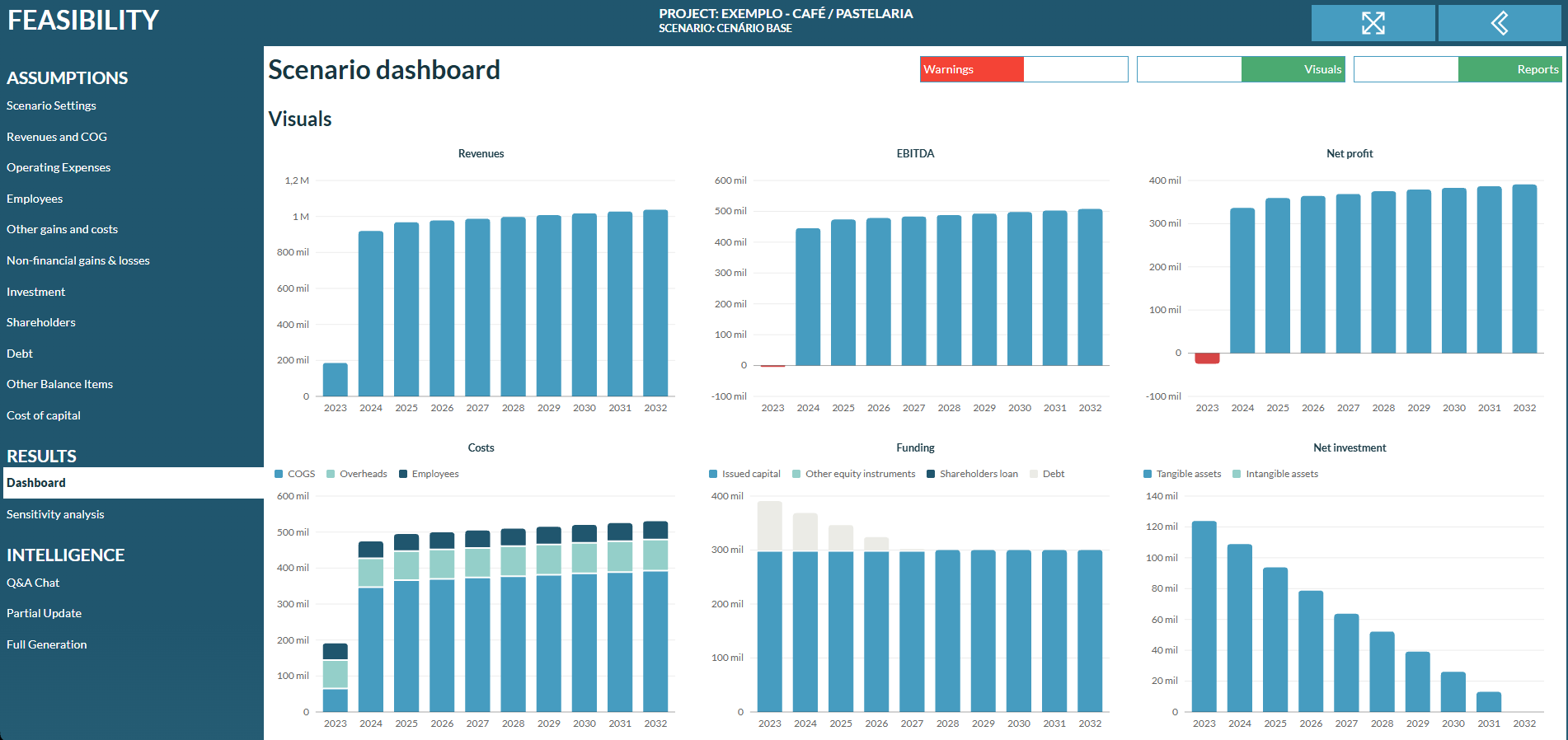
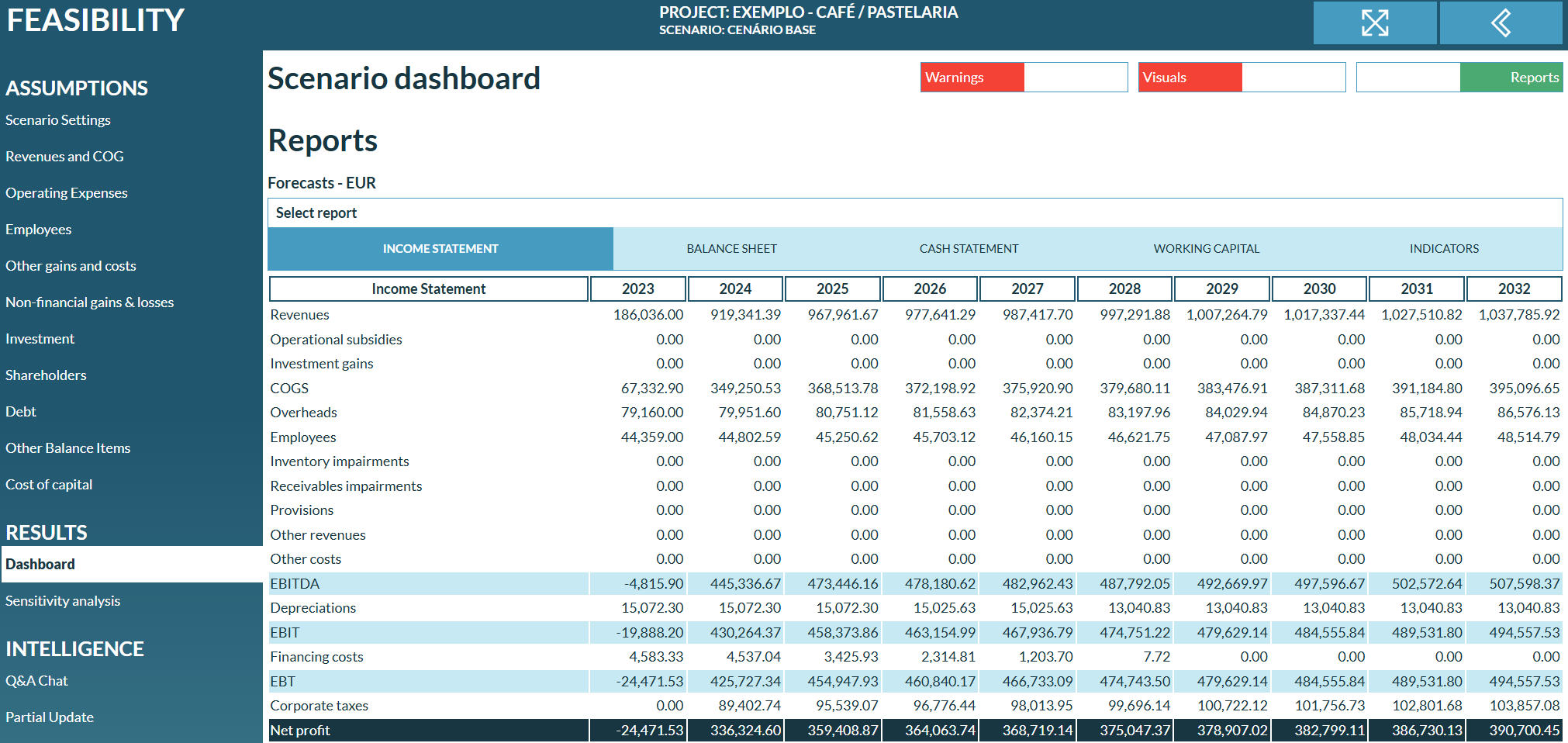
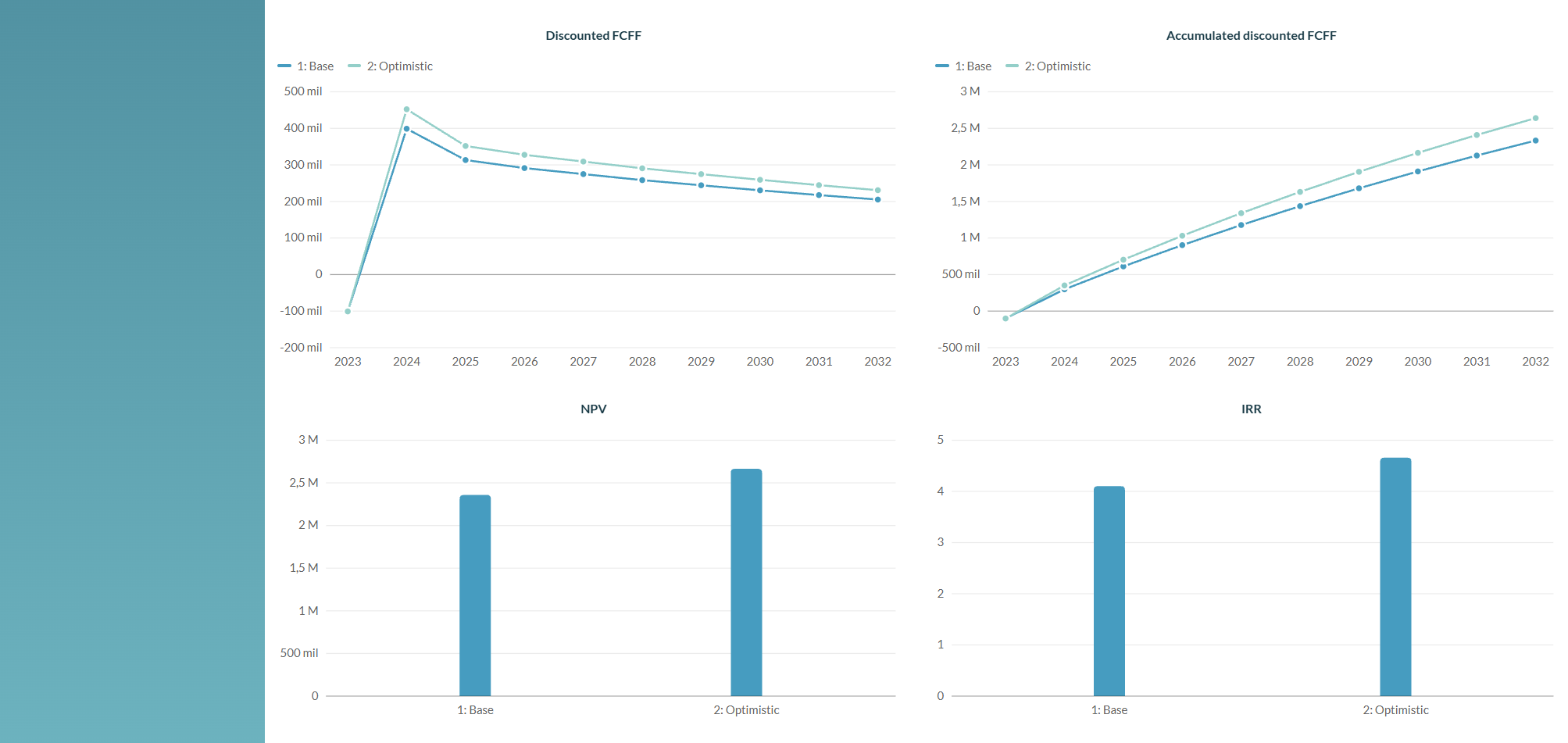
- Dashboards with tables, graphs and sensitivity analysis
- Export to Excel, PowerPoint, CSV and JSON
- AI support: chat-based guidance and full or partial AI-generated forecast versions
- Version control — duplicate, delete and configure each version independently
Valuations
A lighter, purpose-built tool for company valuation.
- DCF-style valuation built from an attached historic financial dataset
- Simple Valuation mode for a quick, lightweight estimate
- Runs on the same standalone Historic module used across CASFLO, instead of its own separate historic data and versioning
Budgets
Cost-center based operational budgeting.
- Budget line items for revenue, opex, HR, investment and debt by cost center
- Versioning with AI-assisted import or generation
- Dashboards for tracking budget performance
- Secure external export via IP-restricted keys and passwords for third-party data pulls
- Its own dedicated subscription
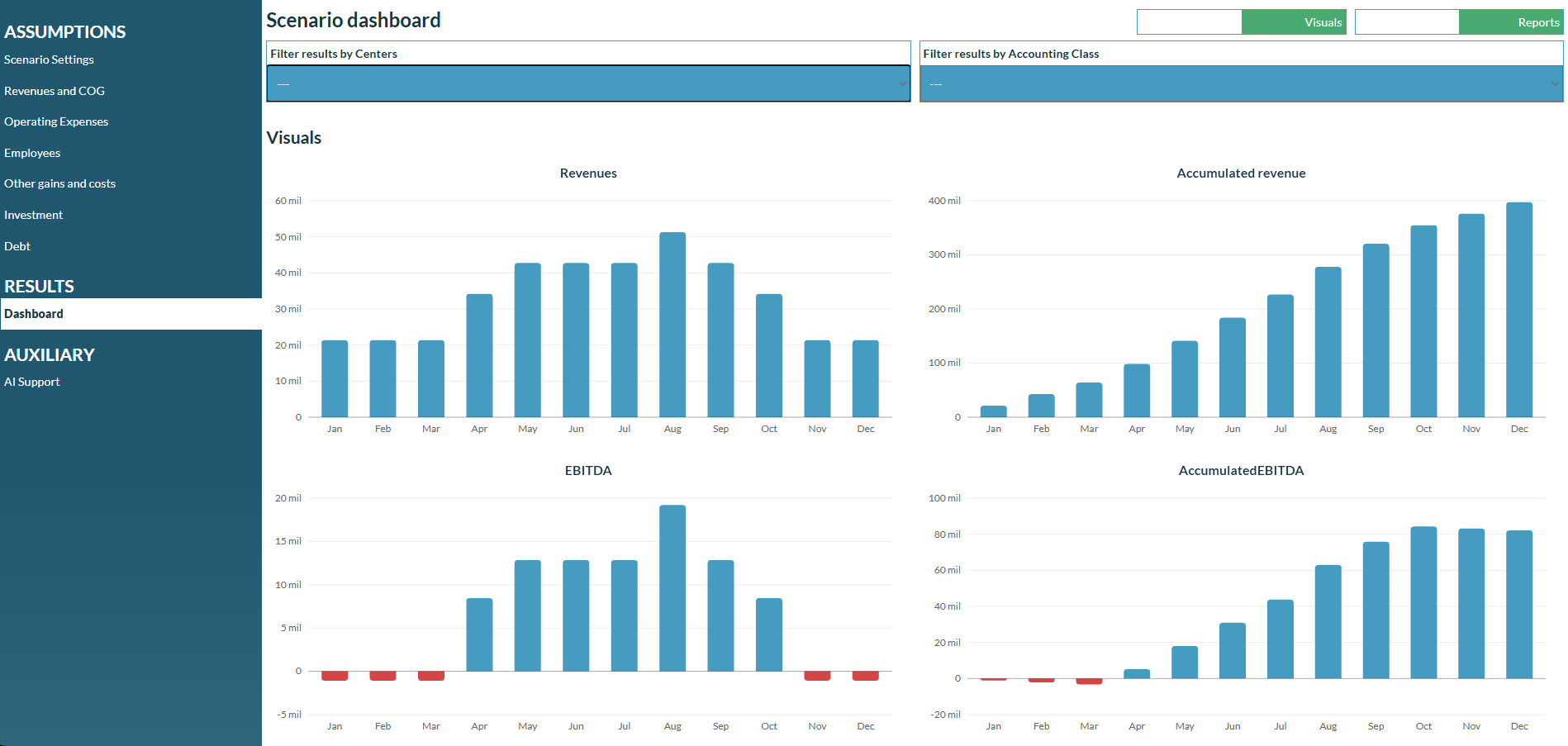
How a project comes together
Start from a canvas
Lay out your business model, SWOT, PESTEL, and market analysis as the foundation of the project.
Attach your historic financials
Bring in past results so every forecast starts from where the business actually stands.
Build forecast versions
Model revenue, opex, HR, investment, debt, shareholders and cost of capital across multiple years — duplicate and compare as many versions as you need.
Export standardized results
Pull dashboards, sensitivity analysis, and reports straight to Excel, PowerPoint, CSV or JSON.
AI where it actually helps
Ask questions about your project in a chat, or let CASFLO generate a full or partial forecast version for you — then refine it by hand. AI credits can be purchased on top of your subscription.
Ready to build your first project?
Every project runs on its own subscription, with templates to get you started faster.